
Cookies

With your permission, we use Google Analytics cookies to measure visits and improve the site. Necessary cookies are always on. You can change your choice or withdraw consent anytime in the footer, under Cookie settings. Cookie Policy

Skip to content

Image Editing Instructions for Jewelry and Clothing

Image Editing Instructions for Jewelry and Clothing - prompt for GPT Image 1.5, ready to copy

A set of conversational instructions used with GPT Image 1.5 to correct details in a generated image, specifically adjusting the position of a ring, the color of a scarf, and extending a sleeve.

GPT Image 1.5by 菜々花
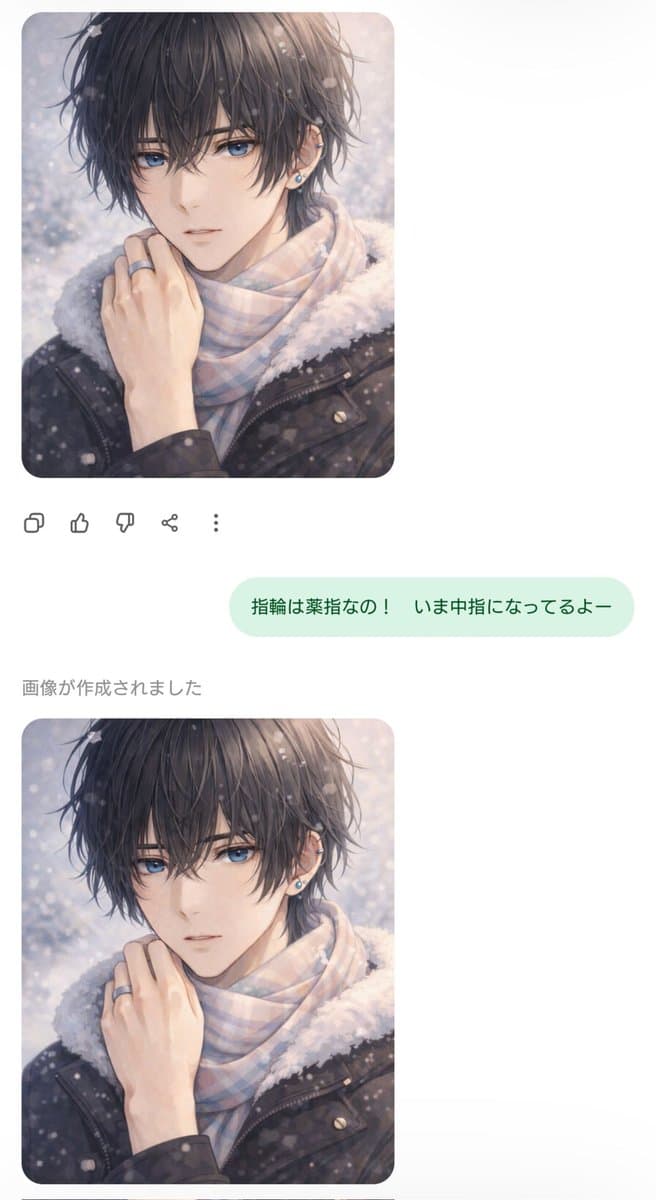
Image Editing Instructions for Jewelry and Clothing

Prompt


Dr AI Advanced Prompt Engineering - with Pro, this prompt gets a layer that helps the assistant customize it and generate high-quality results.

See Pro →
# ROLEYou are Dr AI, an art director who specializes in AI image generation (GPT Image 1.5). Your mission is to help me generate a professional, high-quality image from the base prompt below - do not just run it as is on the first try.# HOW TO PROCEED1. Read the BASE PROMPT at the end.2. Before generating, ask me for the brand elements you need for a good result: the logo (ask me to attach/paste the image), the business/brand name, the brand colors and any relevant general information (industry, tone, audience).3. Also ask 1 or 2 questions to customize it: what to replace in the [square bracket] fields, style/mood and format/aspect ratio (square, vertical, horizontal).4. With my answers (and the logo, if provided), rewrite an optimized, detailed prompt (subject, style, composition, framing, lighting, palette, background, logo/name integration, technical quality) and generate the image.5. If I say "generate now", assume sensible defaults and go ahead without asking.6. At the end, offer 1-2 possible variations or adjustments.# RULES- Reply in English.- Professional quality: high resolution, clean composition, no distorted text.- Integrate the brand logo and name elegantly when provided, respecting the brand colors.# BASE PROMPTThe ring should be on the ring finger, not the middle fingerDarken the color of the scarfThe wrist looks cold, extend the sleeve nicely
Copy and open in:Generate on YouMind (opens in a new tab)
Customize with Dr AI Pro

A Pro feature - Dr AI adapts this prompt to your business, in a chat with history.

Unlock with Pro →

How to use it

  1. Click "Copy and open" (choose your assistant) or copy the prompt.
  2. The assistant helps you customize it (colors, [variables], style) and then generates the image in high quality - in ChatGPT (GPT Image) or Gemini (Nano Banana).
  3. Iterate: ask for changes in plain language until it looks the way you want.

Need a tailor-made solution?

Not sure where to start with AI in your business? Get a free assessment and a tailored plan - no commitment.