
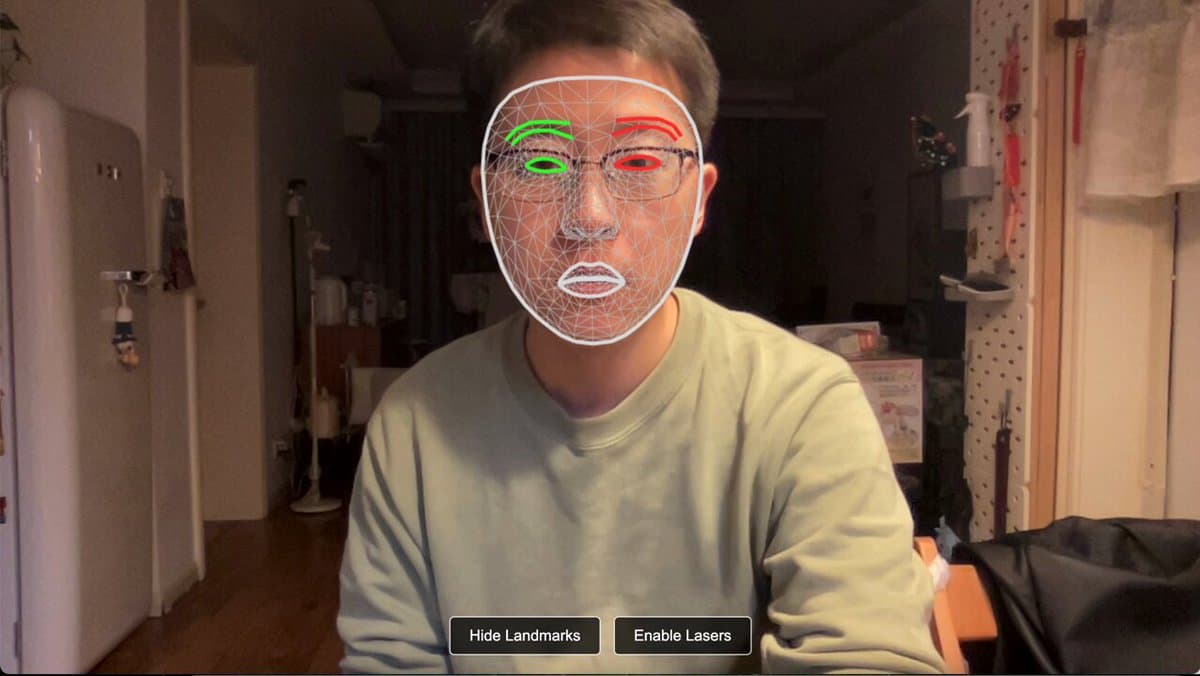
Laser eye effect web demo with Mediapipe and Three.js
Laser eye effect web demo with Mediapipe and Three.js - prompt for Gemini 3 Pro, ready to copy
A concise technical prompt for Gemini 3 to build a web experience that uses the front camera and Mediapipe facial landmarks to apply a real-time 3D laser eye effect via Three.js.
Gemini 3 Proby 愚瞳 | winterx
Prompt

Customize with Dr AI Pro
A Pro feature - Dr AI adapts this prompt to your business, in a chat with history.
Unlock with Pro →How to use it
- Click "Copy and open" and choose your assistant: the prompt is copied.
- Paste the prompt into ChatGPT, Claude or Gemini and replace the [variables] with your details.
- Test the app or page and ask for changes in plain language until it works the way you want.
Need a tailor-made solution?
Not sure where to start with AI in your business? Get a free assessment and a tailored plan - no commitment.